What is Monad?
Monad is a high-performance Layer 1 blockchain that is fully compatible with the Ethereum Virtual Machine (EVM). It achieves remarkable throughput—up to 10,000 transactions per second (TPS)—through parallel execution of transactions. This innovative approach allows Monad to offer significantly higher scalability and lower transaction costs while maintaining compatibility with existing Ethereum-based applications and tools.
Why Stake with Spectrum Staking?
Choosing Spectrum Staking means partnering with a validator committed to security, reliability, and performance. Our infrastructure is built and managed by a team with over 30 years of cumulative experience in systems engineering and IT security.
- Robust Infrastructure: To enhance network decentralization, our Monad validator is hosted on our own high-performance hardware within a secure colocation facility in a unique location, ensuring both top-tier performance and high availability.
- Advanced Monitoring: We use redundant monitoring and alerting systems with 24/7 on-call coverage to ensure any issues are addressed immediately, minimizing downtime and performance degradation.
- Automation and Expertise: Leveraging automation frameworks like SaltStack, we ensure rapid, secure, and error-free deployments and maintenance.
By staking with us, you are delegating to a proven and trusted operator dedicated to maximizing your staking rewards while securing the Monad network.
Step 1: Connect and Initiate Stake
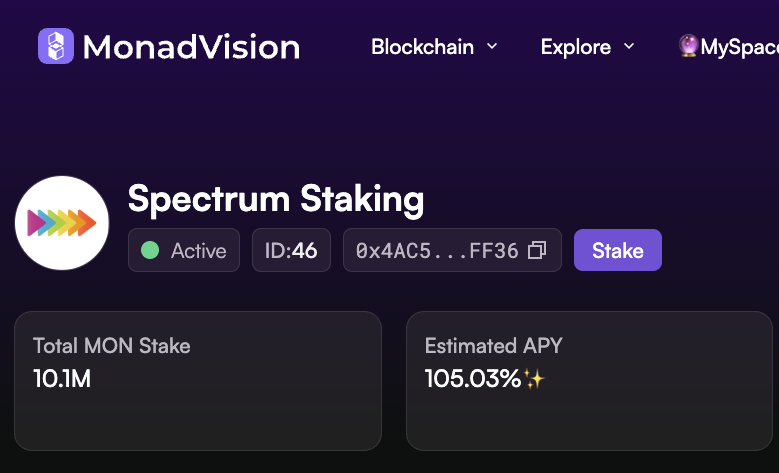
Navigate to Spectrum Staking validator card at monadvision.com.
- Ensure your wallet is connected (your address will appear in the upper right).
- Click the Stake button on the dashboard.
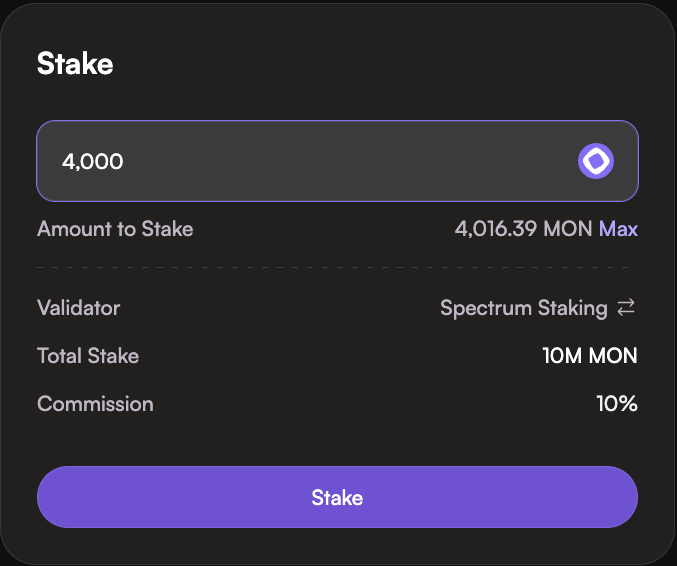
Step 2: Enter stake amount
Enter the amount of MON you wish to stake and click Stake
Step 3: Confirm in Wallet
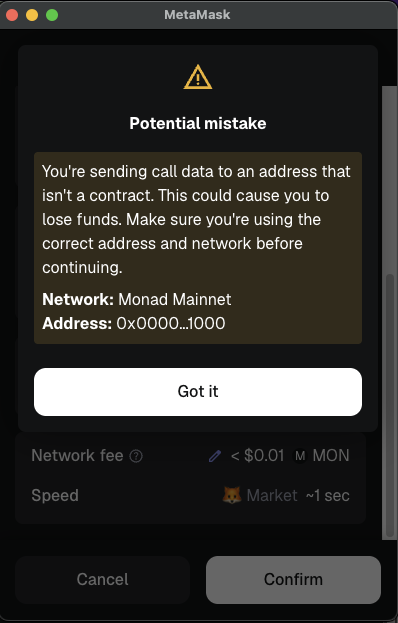
Your wallet pop-up (e.g., MetaMask) will appear to request a signature for the transaction.
- Verify contract: Verify that Monad staking contract is
0x0000000000000000000000000000000000001000. - Confirm: Click the Confirm button in your wallet to sign the transaction.
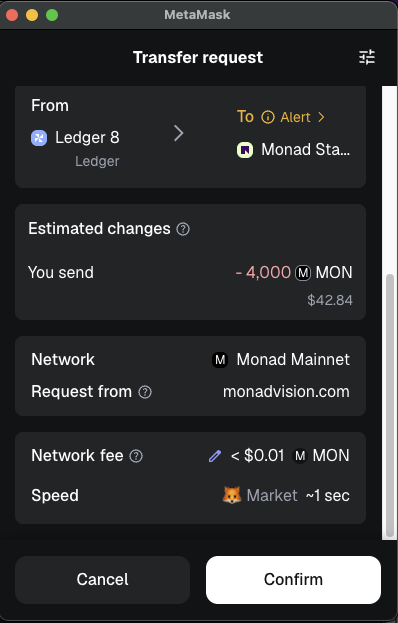
MetaMask might display a warning that 0x0000000000000000000000000000000000001000 is not a contract until Monad is fully supported.